
Get started with dypt in seconds – for free!
Quick start
dypt is a web app, so you don't need to download anything from the app store or marketplace to get started. Just head over to dypt.app and sign up for an account. You can sign up with your email address or with an existing Google, GitHub or Discord account.
Once you've signed in, you'll see a short welcome dialog where you can choose your notification preferences. After that, dypt starts the Getting Started guide, which walks you through creating a task, using AI to break it down, and completing your first subtask.
You can revisit the guides later from Settings → Help → Show checklist.
We've designed dypt to be intuitive and easy to use, so you should be able to get started right away.
If you need any help, check out the rest of our user-friendly documentation for more guidance.
Installing dypt
You don't have to install dypt to use it, but if you want to, you can install it to your device's home screen. This will allow you to use dypt like a native app on your device. Installing is supported on most modern devices, including iOS, Android, macOS and Windows.
iOS
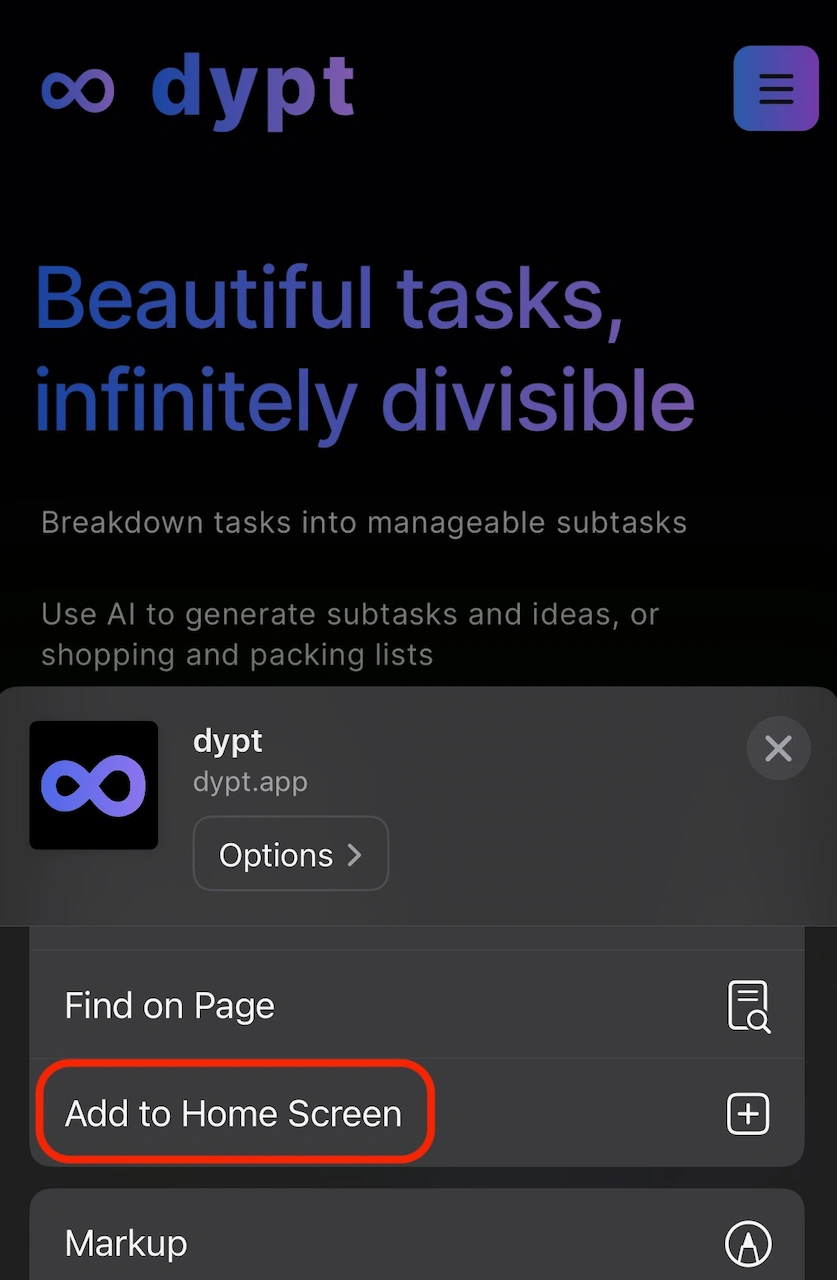
iOS 16.4+ required
- Open dypt.app in Safari
- Tap the share button (the square with an arrow pointing up)
- Tap 'Add to Home Screen'
- Tap 'Add' in the pop-up
- dypt will be available via the home screen
Android
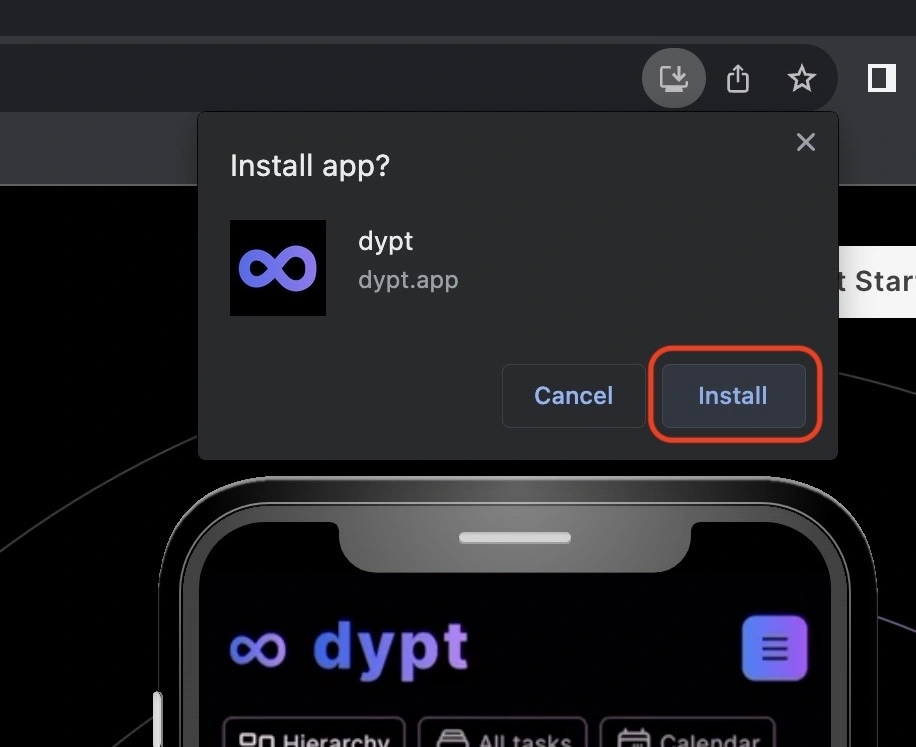
- Open dypt.app in Chrome
- Click the 'install' button that appears in the address bar
- Follow the instructions in the pop-up
- dypt will be available via the app drawer
macOS
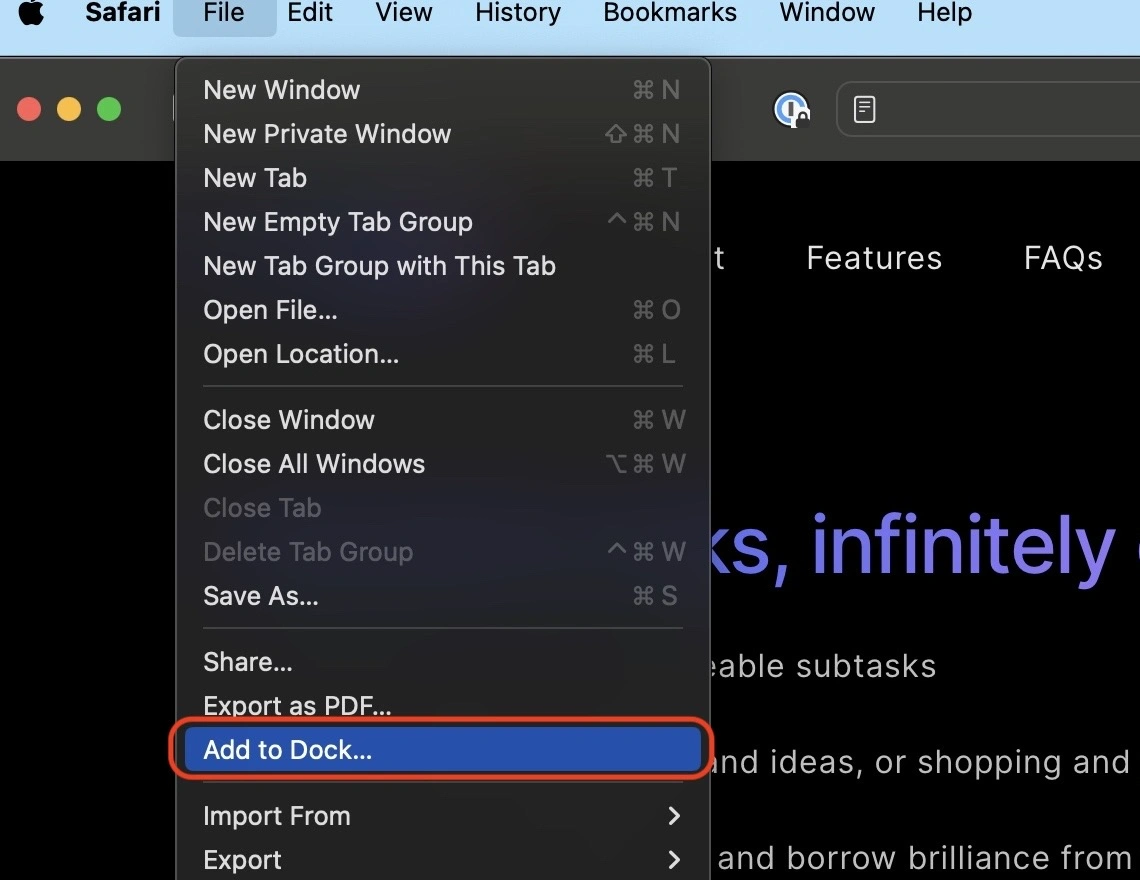
macOS 14+ required
- Open dypt.app in Safari
- Click the File menu, then click 'Add to dock...'
- Click 'Add' in the pop-up
- dypt will be available via the dock
Windows
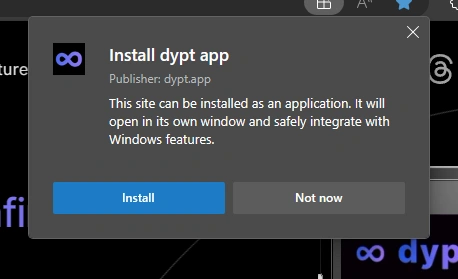
Windows 11+ required
- Open dypt.app in Edge
- Click the 'install' button in the address bar
- Click 'install' in the pop-up
- dypt will be available via the task bar and the start menu
Getting help
If you need any help, first check out the rest of our user-friendly documentation for more guidance.
Still stuck? We're here to help, you can contact us on twitter, threads and via email.